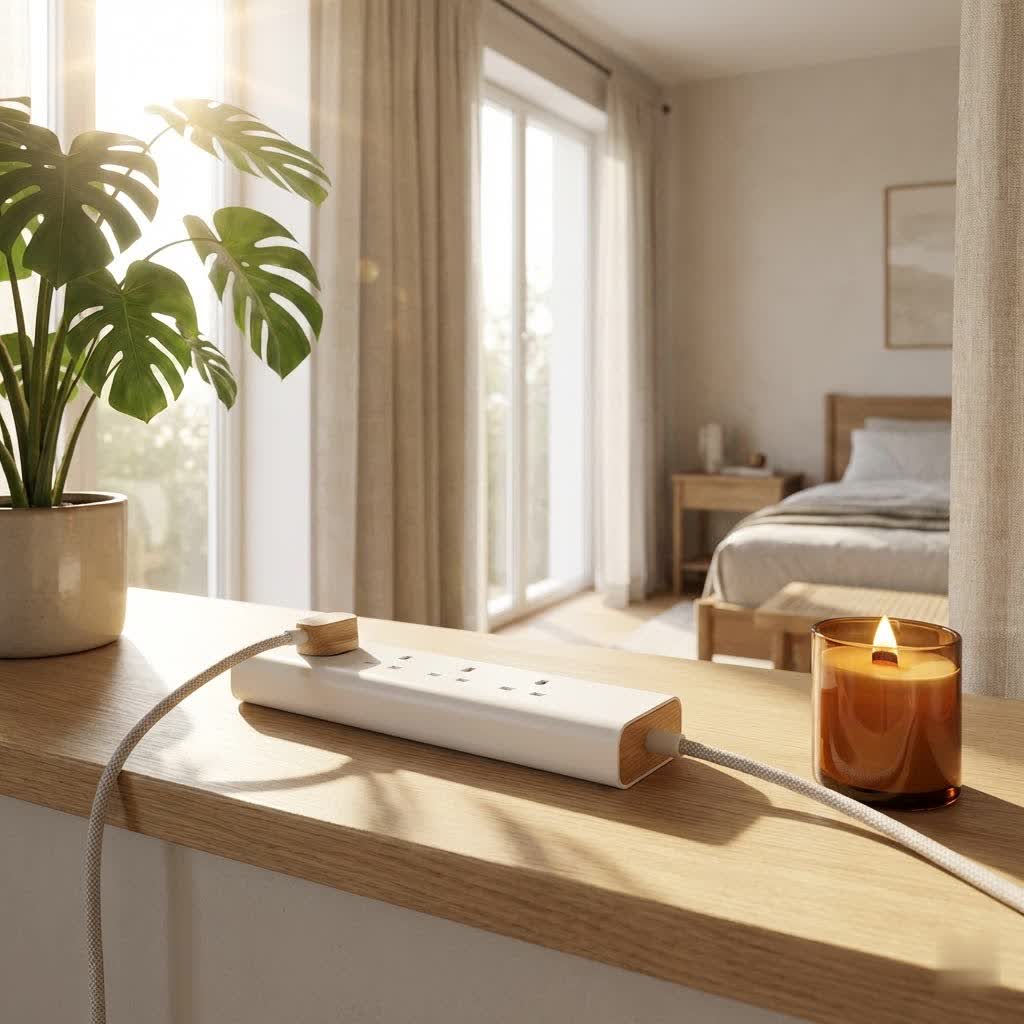
In today’s interconnected world, our lives revolve around a multitude of electronic devices—smartphones, laptops, tablets, gaming consoles, smart home gadgets, and more. Each requires power, and often, a dedicated charging brick, leading to a tangled mess of cables and a constant battle for available wall outlets. This is where the modern surge protector USB power strip becomes an indispensable tool, seamlessly blending the convenience of multiple outlets with crucial protection for your valuable electronics. But it’s more than just a simple extension cord; it’s a vital guardian against the unpredictable nature of electrical currents.
This comprehensive guide will demystify surge protector USB power strips, help you understand their critical role in device safety, explore the various types available, and walk you through the essential factors to consider when making a purchase. We’ll also provide practical tips for safe and effective use, ensuring your devices remain powered, protected, and your workspace clutter-free. For explore our power strips reviews on this site.
What is a Surge Protector USB Power Strip?
At its core, a surge protector USB power strip is an electrical device that provides multiple AC outlets and integrated USB charging ports, while also offering protection against electrical surges. It’s important to understand that not all power strips are surge protectors. A basic power strip merely expands the number of available outlets from a single wall socket, offering no defense against voltage spikes. A true surge protector, however, is engineered with internal components, typically Metal Oxide Varistors (MOVs), that divert excess voltage away from your connected devices, grounding it safely.
These sudden voltage spikes, known as power surges, can originate from various sources, including lightning strikes, utility grid fluctuations, or even the cycling on and off of high-power appliances within your home. Without a surge protector, these spikes can cause immediate damage to sensitive electronics, leading to data loss, component failure, or significantly shortening their lifespan. The integrated USB ports provide direct charging capabilities for your mobile devices, eliminating the need for bulky wall adapters and streamlining your charging setup.
Types of Surge Protector USB Power Strips: Finding Your Perfect Match
The market offers a diverse range of surge protector USB power strips, each designed to cater to specific needs and environments. Understanding these classifications will help you pinpoint the ideal solution for your setup.
By Outlet Count and Type
The number and configuration of AC outlets and USB ports are primary differentiating factors.
- Basic Models: Often feature 3-4 AC outlets and a couple of standard USB-A ports. These are suitable for minimal setups, like a bedside table for a lamp and phone, or a small home office for a laptop and a monitor.
- Standard Options: Typically come with 6-8 AC outlets and a mix of USB-A and USB-C ports. This category is popular for general home and office use, accommodating computers, printers, and several mobile devices. Many offer wider spacing between some outlets to accommodate bulky power adapters without blocking adjacent ports.
- High-Capacity Solutions: Designed for power users or entertainment centers, these can feature 8 or more AC outlets, along with multiple USB-A and USB-C ports, often including USB-C Power Delivery (PD) for faster charging of laptops and larger devices.
By Form Factor and Design
|
Our Picks for the Best Power Strip in 2026
As an Amazon Associate I earn from qualifying purchases.
|
||
| Num | Product | Action |
|---|---|---|
| 1 | Amazon Basics Surge Protector Power Strip, 6-Outlet, 790 Joules, LED Indicator, 6ft Extension Cord, White |

|
| 2 | Surge Protector Power Strip - CHCORE 5Ft Braided Extension Cord with 8 Outlets with 4 USB (2 USB C) Charging Ports, Flat Plug Multi Plug Outlet Extender Charging Station for Home Office, ETL, White |
|
| 3 | 6 Ft Surge Protector Power Strip - 8 Widely Outlets with 4 USB Ports, 3 Side Outlet Extender with 6 Feet Extension Cord, Flat Plug, Wall Mount, Desk USB Charging Station, ETL,White |
|
| 4 | Pink Extension Cord with Surge Protector - 5 FT Kawaii Power Strip, Cute Extension Cord with 6 USB(3 USB C) and 8 Outlets, Pink Desk Accessories for Girl Cute Kawaii Room Decor Gifts Office Dorm Home |
|
| 5 | Belkin 12-Outlet Surge Protector Power Strip w/ 12 AC Outlets & 8ft Flat Plug, UL-listed Heavy-Duty Extension Cord for Home, Office, Travel, Computer, Laptop, Charger - 3,940 Joules of Protection |
|
| 6 | Amazon Basics Surge Protector Power Strip, 6-Outlet with 200J Protection, 2ft Extension Cord, Rectangle, Black (2 Pack) |
|
| 7 | 10 Ft Ultra Thin Extension Cord, 5-Outlet Power Strip Surge Protector with 4 USB Ports (2 USB C), 1875W/15A, Low Profile Flat Plug, 1700 Joules, Wall Mount for Home Office, White |
|
| 8 | Surge Protector Power Strip - HANYCONY 8 Outlets 4 USB (2 USB C) Charging Ports, Multi Plug Outlet Extender, 5Ft Braided Extension Cord, Flat Plug Wall Mount Desk Charging Station for Home Office ETL |
|
| 9 | 3FT Ultra Flat Plug Extension Cord Power Strip with 3 Outlets, Patented Detachable Ultra-Thin Outlet Cover Concealer & Ultra-Flat Plug, Max. 13A 125V 1625W ETL Listed, White Color |
|
| 10 | Amazon Basics Rectangle 6-Outlet, 600 Joule Surge Protector Power Strip, 2ft, Black, Small, 2-Pack |
|
Beyond the number of ports, the physical design can significantly impact usability and space efficiency.
- Standard Strip Design: The most common form, a horizontal bar. These are versatile but can sometimes take up considerable desk or floor space.
- Tower or Vertical Designs: These space-saving units stack outlets vertically, making them ideal for crowded desks or small offices where horizontal space is limited. Some even offer individual switches for each outlet.
- Wall-Mount Adapters: These plug directly into a wall outlet, expanding it into multiple AC and USB ports, often with a small shelf. They are excellent for decluttering countertops or nightstands.
- Travel-Friendly Power Strips: Compact and lightweight, these are designed for portability. They usually have fewer outlets but are invaluable for travel, especially models with international plug adapters and robust surge protection for varying power grids.
By Smart Features
Modern surge protector USB power strips increasingly integrate smart technology, offering enhanced control and convenience.
- Basic Smart Features: Include simple on/off switches with indicator lights that confirm the surge protection is active and the strip is grounded. Many also feature an integrated circuit breaker that automatically trips if the strip is overloaded.
- Advanced Smart Features: These strips can connect to your home Wi-Fi, allowing for remote control of individual outlets via a smartphone app. Features often include scheduling power on/off times, energy monitoring to track consumption, and compatibility with voice assistants like Amazon Alexa or Google Assistant. Some even offer overload protection with automatic shut-off.
Guide to Choosing a Surge Protector USB Power Strip: What to Look For
Selecting the right surge protector USB power strip involves more than just picking one with enough outlets. Understanding key specifications and features is crucial for optimal protection and usability.
Joule Rating
The joule rating is arguably the most critical specification for a surge protector. It indicates the amount of energy the device can absorb before it fails. A higher joule rating means greater protection and a longer lifespan for the surge protector itself.
- For basic electronics (lamps, phone chargers): A rating of 600-1000 joules might suffice.
- For home office equipment (computers, monitors, printers) or general home entertainment: Aim for at least 1000-2000 joules.
- For valuable and sensitive electronics (high-end gaming PCs, large TVs, home theater systems): Look for 2000 joules or higher, with some premium models offering 4000+ joules for maximum protection.
Remember that surge protectors degrade with each surge they absorb, eventually losing their protective capabilities. Indicator lights often signal when the protection has expired.
UL Certification and Safety Standards
Always look for products that are UL (Underwriters Laboratories) certified or have similar recognized safety certifications (like ETL). This certification signifies that the product has undergone rigorous testing and meets stringent safety standards to prevent electrical fires, shocks, and other hazards. It provides peace of mind that the device is built to safely handle electrical loads. Many quality surge protectors also feature a circuit breaker that automatically cuts power in case of an overload, preventing overheating and potential fires.
Number and Spacing of AC Outlets
Consider your current and future needs. Do you have many devices that require bulky “wall wart” adapters? Opt for a strip with widely spaced outlets or a design that accommodates larger plugs without obstructing neighboring receptacles. Some designs feature rotating outlets for even greater flexibility.
USB Ports (Type & Output)
With the prevalence of USB-powered devices, integrated USB ports are a must-have.
- USB-A vs. USB-C: Ensure the strip has the right mix for your devices. USB-C ports are becoming increasingly common and are essential for newer smartphones, laptops, and tablets.
- Fast Charging (Power Delivery – PD): For rapid charging of compatible devices, look for USB-C ports with Power Delivery (PD) capabilities, often denoted by wattage (e.g., 20W, 30W, 60W, 100W).
- Amperage Output: Standard USB-A ports typically provide 2.4 Amps (A) per port, while the total output for multiple USB ports might be 3.4A or higher. Higher amperage means faster charging, especially for tablets and power banks.
Cord Length and Plug Type
The cord length should be sufficient to reach your intended location without creating a tripping hazard or requiring an extension cord (which should never be used with a surge protector). A flat plug design is beneficial as it sits flush against the wall, allowing furniture to be placed closer and preventing accidental disconnections. Braided cords can offer enhanced durability and tangle resistance.
Additional Safety Features
- Fire-Resistant Casing: Many high-quality surge protectors use fire-resistant PC (polycarbonate) materials, capable of withstanding high temperatures to minimize fire risk.
- Indicator Lights: Lights that confirm “protected” status and “grounded” wiring are vital. If the “protected” light goes out, it means the surge protection components have worn out, and the strip needs replacement.
- Overload Protection: Beyond the main circuit breaker, some advanced models offer individual outlet overload protection.
Warranty and Connected Equipment Protection
Reputable manufacturers often provide a warranty for the surge protector itself (typically 18 months to several years) and, importantly, connected equipment protection. This coverage offers reimbursement for devices damaged by a power surge while properly connected to their surge protector. Review the terms carefully, as claim processes can vary.
Top Surge Protector USB Power Strips
Leading brands in this category consistently deliver products that combine robust surge protection with intelligent design and versatile charging options. Many top-rated models feature high joule ratings (often 2100J or 4320J), ensuring superior defense against power spikes. They typically offer a generous number of AC outlets, frequently 8 to 12, often with wide spacing to accommodate various plug sizes, including those bulky power bricks.
Integrated USB-A and USB-C ports are standard, with premium options offering USB-C Power Delivery (PD) for rapid charging of modern laptops and smartphones. Convenient features like flat wall plugs, long braided cords, and stable designs (such as tower or desktop cubes) enhance usability in diverse settings. Some advanced models also incorporate smart features like Wi-Fi connectivity, app control for individual outlets, and energy monitoring, making them ideal for smart homes and tech-savvy users. Whether you prioritize maximum protection for a complex entertainment system or a compact, fast-charging solution for travel, there’s a high-quality surge protector USB power strip designed to meet those specific needs.
Maximizing Safety and Longevity: Tips for Using Your Surge Protector USB Power Strip
To ensure your surge protector USB power strip continues to protect your devices effectively and safely for years to come, follow these essential guidelines:
- Do Not Overload: Every surge protector has a maximum wattage or amperage rating. Never plug in more devices than the strip is designed to handle. Overloading can trip the circuit breaker or, worse, lead to overheating and fire hazards. High-power appliances like refrigerators, space heaters, and microwaves should generally be plugged directly into a wall outlet, not a surge protector or power strip.
- Avoid Daisy-Chaining: Never plug one surge protector into another. This “daisy-chaining” can bypass safety features and create an extreme fire hazard. Each surge protector should be plugged directly into a wall outlet.
- Keep Away from Moisture: Surge protectors are not designed for wet or damp environments. Avoid using them in bathrooms, kitchens near sinks, or outdoors unless the product is specifically rated for such conditions. Water and electricity are a dangerous combination.
- Regular Inspection and Replacement: Surge protectors don’t last forever. The internal components that absorb surges degrade over time and after each major event. Check the indicator lights periodically; if the “protected” light is off, the surge protector is no longer functioning and needs to be replaced immediately. Many experts recommend replacing surge protectors every 3-5 years, regardless of visible damage.
- Use for Appropriate Devices: While versatile, surge protector USB power strips are best suited for electronics like computers, TVs, chargers, and small appliances. Reserve dedicated wall outlets for heavy-duty appliances to prevent overloading.
- Cable Management: Keep cords organized to prevent tripping hazards and ensure proper airflow around the strip, which helps prevent overheating.
Conclusion: Empowering Your Devices, Protecting Your Investment
In a world increasingly reliant on electronics, a surge protector USB power strip is no longer a luxury but a necessity. It offers a powerful blend of convenience, consolidating your charging needs into a single hub, and crucial protection against unpredictable power surges that can compromise or destroy your valuable devices. By understanding the key features—from joule ratings and UL certifications to the types of USB ports and smart functionalities—you can make an informed choice that perfectly aligns with your specific requirements.
Embrace the modern solution that protects your investments and streamlines your digital life. Have you recently upgraded your power strip setup? Share your experiences and tips below!
Frequently Asked Questions
What is the difference between a power strip and a surge protector?
A power strip simply expands the number of available electrical outlets from one wall socket. A surge protector, however, includes additional internal components designed to divert excess voltage away from connected devices during a power surge, protecting them from damage. All surge protectors are power strips, but not all power strips are surge protectors.
How many joules do I need for a good surge protector?
For general electronics like phone chargers or lamps, 600-1000 joules might be sufficient. For valuable equipment such as computers, TVs, and gaming consoles, a minimum of 1000-2000 joules is recommended. For high-end sensitive electronics, consider surge protectors with 2000 joules or higher for enhanced protection.
Do USB ports on power strips also have surge protection?
Yes, on a surge protector USB power strip, the integrated USB charging ports typically fall under the same surge protection circuitry as the AC outlets. This ensures that devices charged via USB are also shielded from voltage spikes, just like those plugged into the AC outlets.
How often should I replace my surge protector?
Surge protectors wear out over time as they absorb electrical surges. Most experts recommend replacing them every 3-5 years, or immediately after a significant power surge (like a lightning strike) if the “protected” indicator light goes out. Regular inspection of the indicator lights is essential.
Can I plug high-power appliances into a surge protector?
It is generally not recommended to plug high-power appliances, such as refrigerators, space heaters, air conditioners, or microwaves, into a surge protector. These appliances can draw significant current, potentially exceeding the surge protector’s capacity, leading to circuit overloads and fire risks. They should ideally be plugged directly into a wall outlet.
What does UL certification mean for power strips?
UL (Underwriters Laboratories) certification means that the power strip or surge protector has been rigorously tested by an independent safety science company and meets specific safety standards. This certification indicates that the product is designed to minimize risks such as electrical shock and fire, providing assurance of its quality and safety.
Get our weekly buyer guide
Practical specs, not advice. Unsubscribe anytime.

I’ve been looking for a good solution to my tangled mess of cables for ages, and this guide really helped me pick the right one. The USB ports are a game-changer for charging my phone and tablet without needing extra bricks. My desk looks so much cleaner now, and I feel better knowing my devices are protected from surges.
Finally, a power strip that can handle all my gaming consoles and accessories! I used to constantly battle for outlets, and now everything has a spot. The peace of mind knowing my valuable electronics are safe from electrical currents is priceless. Definitely recommend investing in a good one.
I bought a basic model after reading about the importance of surge protection for smart home gadgets. It does the job for my smart plugs and speaker, but the USB charging isn’t as fast as I’d hoped. It’s fine for overnight, but not ideal for a quick top-up during the day.
This was super helpful in understanding the different types of surge protectors. I ended up getting one with a higher joule rating for my home office setup, which has a lot of expensive equipment. It’s working great so far, though I wish the cord was a little longer for my specific layout.