In today’s interconnected world, almost every device we own demands power. From smartphones and tablets to laptops and smart home gadgets, the number of electronics vying for an outlet seems to grow daily. This constant need often leads to a tangled mess of chargers and a frustrating shortage of available wall sockets. Enter the Usb Power Strip—a versatile solution designed to streamline your charging setup, protect your valuable electronics, and bring order to your power needs.
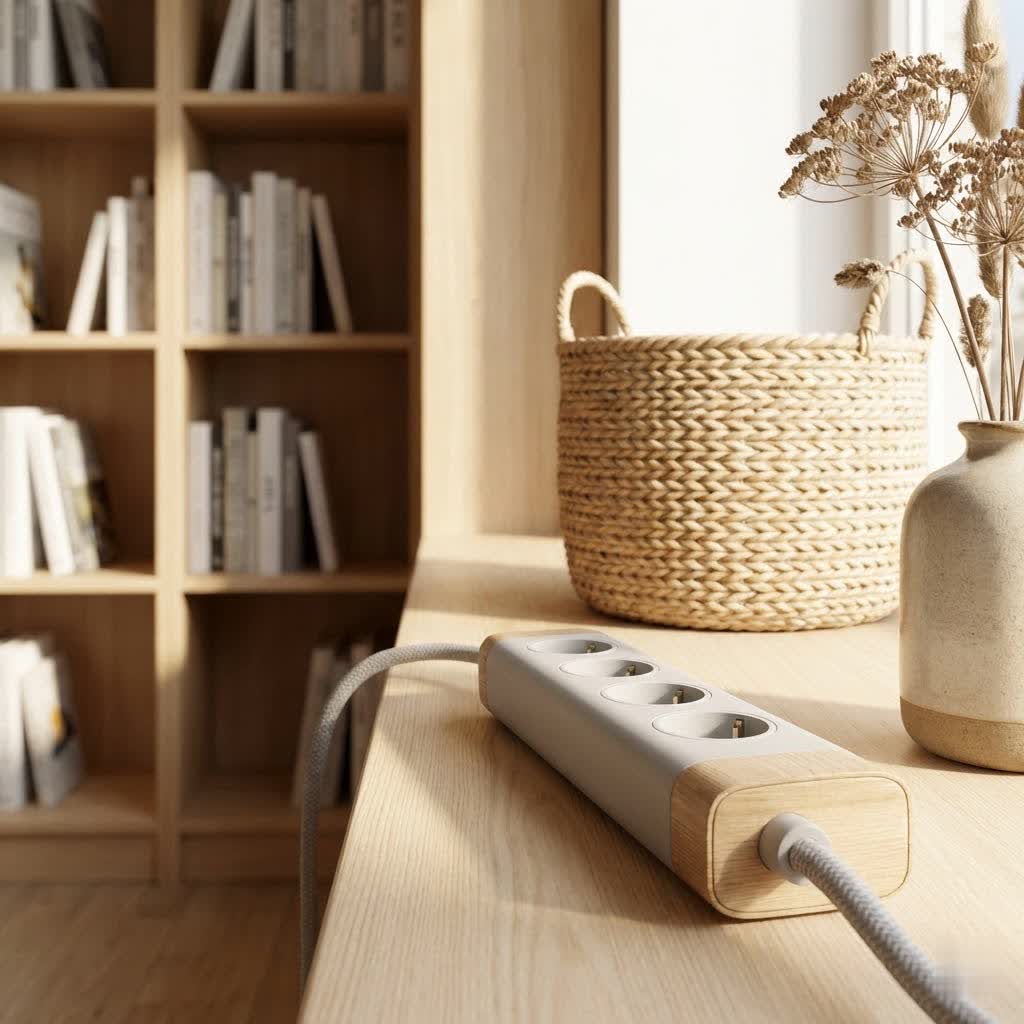
These modern power solutions combine traditional AC outlets with integrated USB charging ports, eliminating the need for bulky individual adapters. Whether you’re setting up a home office, decluttering your bedside table, or preparing for a trip, a well-chosen USB power strip can significantly enhance convenience and safety. But with so many options available, how do you find the right one? Let’s dive into everything you need to know about USB power strips to make an informed choice.
What is a USB Power Strip? Why You Need One
A USB power strip, also often called a USB power bar or charging station, is an extension cord equipped with multiple standard alternating current (AC) outlets and several integrated Universal Serial Bus (USB) ports. Its primary purpose is to expand the number of available power connections from a single wall outlet, allowing you to power larger appliances and simultaneously charge USB-powered devices like phones, smartwatches, and Bluetooth headphones.
You need a USB power strip because it addresses several common modern challenges:
- Reduces Clutter: Say goodbye to a jumble of wall warts and individual USB chargers. A single power strip can replace multiple adapters, freeing up valuable wall space and tidying your environment.
- Enhanced Convenience: Charge all your devices from one central hub. No more hunting for the right adapter or an available outlet.
- Device Protection: Many USB power strips come with essential safety features, such as surge protection and overload protection, safeguarding your electronics from power spikes and fluctuations.
- Versatility: With a mix of AC outlets and USB ports (including faster USB-C options), these strips cater to a wider range of devices than traditional power strips.
Classifying USB Power Strips: Finding Your Perfect Match
USB power strips come in various configurations, each designed to meet specific needs. Understanding these classifications can help you pinpoint the best option for your home or office.
By Number of Outlets
The number of AC outlets and USB ports is often the first consideration.
- 3-4 AC Outlets with 2-3 USB Ports: Ideal for basic needs, such as a small desk setup, a bedside charging station, or for travelers who need a compact solution.
- 5-6 AC Outlets with 3-4 USB Ports: A popular choice for most households and standard office setups, balancing capacity with a manageable size.
- 8+ AC Outlets with 4+ USB Ports: Best for power-hungry environments like entertainment centers, gaming setups, or larger workstations where many devices need simultaneous power and charging.
|
Our Picks for the Best Power Strip in 2026
We may earn a commission when you use one of our links to make a purchase.
|
||
| Num | Product | Action |
|---|---|---|
| 1 | Belkin 12-Outlet Surge Protector Power Strip w/ 12 AC Outlets & 8ft Flat Plug, UL-listed Heavy-Duty Extension Cord for Home, Office, Travel, Computer, Laptop, Charger - 3,940 Joules of Protection |

|
| 2 | Amazon Basics Rectangle 6-Outlet, 600 Joule Surge Protector Power Strip, 2ft, Black, Small, 2-Pack |
|
| 3 | 10 Ft Ultra Thin Extension Cord, 5-Outlet Power Strip Surge Protector with 4 USB Ports (2 USB C), 1875W/15A, Low Profile Flat Plug, 1700 Joules, Wall Mount for Home Office, White |
|
| 4 | 3FT Ultra Flat Plug Extension Cord Power Strip with 3 Outlets, Patented Detachable Ultra-Thin Outlet Cover Concealer & Ultra-Flat Plug, Max. 13A 125V 1625W ETL Listed, White Color |
|
| 5 | Amazon Basics Surge Protector Power Strip, 6-Outlet, 790 Joules, LED Indicator, 6ft Extension Cord, White |
|
| 6 | Pink Extension Cord with Surge Protector - 5 FT Kawaii Power Strip, Cute Extension Cord with 6 USB(3 USB C) and 8 Outlets, Pink Desk Accessories for Girl Cute Kawaii Room Decor Gifts Office Dorm Home |
|
| 7 | Amazon Basics Surge Protector Power Strip, 6-Outlet with 200J Protection, 2ft Extension Cord, Rectangle, Black (2 Pack) |
|
| 8 | Surge Protector Power Strip - CHCORE 5Ft Braided Extension Cord with 8 Outlets with 4 USB (2 USB C) Charging Ports, Flat Plug Multi Plug Outlet Extender Charging Station for Home Office, ETL, White |
|
| 9 | Surge Protector Power Strip - HANYCONY 8 Outlets 4 USB (2 USB C) Charging Ports, Multi Plug Outlet Extender, 5Ft Braided Extension Cord, Flat Plug Wall Mount Desk Charging Station for Home Office ETL |
|
| 10 | 6 Ft Surge Protector Power Strip - 8 Widely Outlets with 4 USB Ports, 3 Side Outlet Extender with 6 Feet Extension Cord, Flat Plug, Wall Mount, Desk USB Charging Station, ETL,White |
|
By Features
Beyond basic power distribution, modern USB power strips offer an array of features that add safety, convenience, and intelligence.
- Standard USB Power Strips: These provide a straightforward combination of AC outlets and USB ports, offering basic power expansion and charging at an affordable price.
- Surge Protector USB Power Strips: Crucial for protecting sensitive electronics, these strips include surge protection measured in Joules. A higher Joule rating indicates greater protection against sudden voltage spikes caused by lightning or power grid fluctuations.
- Smart USB Power Strips: Integrating Wi-Fi connectivity, these strips can be controlled remotely via a smartphone app or voice commands (e.g., through Amazon Alexa or Google Assistant). Features often include scheduling, timers, and individual outlet control, making them perfect for smart homes.
- Fast Charging USB Power Strips: Equipped with high-output USB-C Power Delivery (PD) ports, these can charge compatible devices like laptops and newer smartphones much faster than standard USB-A ports. Look for specifications like 20W, 30W, or even 45W for laptop charging.
- Overload Protection: Many strips include a built-in circuit breaker that automatically shuts off power if the connected devices draw too much current, preventing overheating and potential fires.
- Fire Resistance: Constructed with fire-retardant materials, these strips offer an extra layer of safety.
By Design
The physical design can impact usability and aesthetics, especially in visible areas.
- Standard Bar Design: The most common form, a rectangular strip that lies flat.
- Vertical/Tower Power Strips: Space-saving designs that stand upright, often with outlets distributed on multiple sides, making them ideal for desktops or compact areas.
- Desk Clamp Power Strips: These attach directly to the edge of a desk, keeping cables tidy and outlets easily accessible.
- Wall-Mounted Power Strips: Designed to plug directly into a wall outlet, transforming it into a multi-port charging hub without cords.
- Travel Power Strips: Compact and lightweight, these often feature universal plug adapters and multiple USB ports, perfect for international travel.
- Wide-Spaced Outlets: A thoughtful design feature that ensures bulky power adapters don’t block adjacent outlets.
- Flat Plug: Power cords with a flat-profile plug can be beneficial for outlets located behind furniture, allowing furniture to sit closer to the wall.
Comparison of Common USB Power Strip Types
Choosing the right USB power strip involves weighing features against your specific environment and usage habits. Here’s a brief comparison to guide your decision:
| Feature | Standard Power Strip (with USB) | Surge Protector Power Strip (with USB) | Smart Power Strip (with USB) | Fast Charging USB-C Power Strip |
|---|---|---|---|---|
| Primary Use | Basic power/charging expansion | Device protection + power/charging | Remote control + automation | Rapid charging + power expansion |
| Key Benefit | Cost-effective, simple | Protects electronics from spikes | Convenience, energy management | Saves charging time for modern devices |
| AC Outlets | Typically 3-6 | Typically 6-12+ | Typically 3-6 (some smart) | Varies, often 3-6 |
| USB Ports | USB-A (standard speed) | USB-A (standard speed) | USB-A (standard speed) | USB-A & USB-C (fast PD) |
| Safety | Basic overload protection | Surge, overload, fire resistance | Overload, fire resistance | Overload, surge (often) |
| Connectivity | None | None | Wi-Fi (app, voice control) | None |
| Ideal For | Simple charging, minimal devices | Protecting expensive electronics | Home automation, energy saving | Powering laptops, quick phone charges |
| Consideration | No surge protection | Joule rating matters | More complex setup, higher cost | USB-C compatibility, wattage output |
How to Buy a USB Power Strip: Key Considerations
Selecting the best USB power strip isn’t just about the number of outlets; it’s about safety, efficiency, and meeting your specific needs. Here’s what to look for:
1. Identify Your Usage Needs
- Number of Devices: Count how many AC-powered devices and USB-powered devices you typically need to connect simultaneously.
- Device Types: Are you charging smartphones, tablets, laptops, or a mix? Laptops and newer phones often benefit from higher-wattage USB-C Power Delivery ports for fast charging.
- Location: Will it be on a desk, hidden behind furniture, or used for travel? This affects cord length, plug type (flat plug vs. standard), and form factor (tower, clamp, compact).
- Smart Features: Do you want remote control, scheduling, or voice assistant integration for smart home connectivity?
- Indoor vs. Outdoor: Only use outdoor-rated power strips in damp environments like garages or patios. Indoor strips lack protection against moisture.
2. Prioritize Safety Features
Safety should always be paramount when dealing with electrical devices.
- Surge Protection: Essential for safeguarding electronics from voltage spikes. Look for a strip with a high Joule rating (e.g., 1000 Joules or more) for better protection.
- Overload Protection: A built-in circuit breaker or fuse is vital. It automatically cuts power if the strip is overloaded, preventing overheating and fires.
- Certifications: Ensure the power strip is certified by recognized safety organizations like UL (Underwriters Laboratories) or ETL, indicating it meets stringent safety standards.
- Fire Resistance: Materials designed to resist fire add an extra layer of protection.
3. Check Technical Specifications
Understanding the ratings helps ensure compatibility and safe operation.
- Maximum Wattage/Amperage: The power strip’s total capacity (e.g., 1875 Watts / 15 Amps). Ensure the combined wattage of all devices you plan to plug in does not exceed this rating.
- USB Output: For USB ports, check the amperage (A) and wattage (W) output. Higher numbers mean faster charging for compatible devices. Look for USB-C Power Delivery (PD) for rapid laptop and smartphone charging.
4. Choose Reputable Brands and Read Reviews
Investing in a quality power strip from a trusted manufacturer is crucial for safety and durability. Brands like Anker, Belkin, GE, Austere, and TP-Link Kasa are well-regarded. Always read user reviews to get real-world insights into a product’s performance and reliability.
5. Compare Prices
While price shouldn’t be the only factor, comparing options from different retailers can help you find the best value. Remember that a slightly higher investment in a feature-rich, high-quality power strip can save you money and headaches in the long run by protecting your electronics.
Top USB Power Strips Popular Right Now
While specific models constantly evolve, several types and brands consistently receive high praise for their quality, features, and safety. Here are examples of popular categories:
- Anker Surge Protector Power Strips: Known for robust surge protection, multiple AC outlets, and fast-charging USB-A and USB-C ports, often featuring durable designs and excellent build quality.
- Smart Power Strips (e.g., TP-Link Kasa Smart Plug Power Strip): These offer the convenience of app control, scheduling, and voice assistant integration, along with surge protection and multiple AC and USB ports, perfect for integrating into a smart home ecosystem.
- Desktop Charging Stations (e.g., Austere VII Series with USB-C PD): Designed to sit neatly on a desk, these often feature strategically spaced outlets and high-wattage USB-C ports capable of charging laptops, providing a clean and powerful workspace solution.
- Travel-Friendly Options (e.g., Anker Nano Charging Station): Compact designs with multiple USB ports (including USB-C) and sometimes foldable plugs, making them perfect companions for trips.
When choosing, always verify the current models, read the latest reviews, and ensure the specifications align with your needs.
Tips for Safe and Effective USB Power Strip Use
Using your USB power strip correctly is just as important as choosing the right one. Follow these essential tips to ensure safety and longevity for both your power strip and your devices:
- Avoid Overloading: Never plug in devices whose combined wattage exceeds the power strip’s maximum rating. Overloading can cause overheating, tripping circuit breakers, and pose a significant fire hazard.
- Plug Directly into a Wall Outlet: Power strips are designed to plug directly into a wall outlet. Never “daisy-chain” power strips (plugging one power strip into another) or into an extension cord, as this dramatically increases the risk of overloading and electrical fires.
- Use in Dry Environments: Unless specifically rated for outdoor or damp conditions, always use power strips indoors in dry locations. Water and electricity are a dangerous combination.
- Keep it Uncovered: Ensure your power strip has adequate ventilation. Avoid covering it with rugs, carpets, or furniture, as this can trap heat and lead to overheating.
- Regular Inspection: Periodically check your power strip for any signs of damage, such as frayed cords, cracked housings, loose connections, or a burning smell. Replace any damaged power strip immediately.
- Distinguish Indoor and Outdoor Models: Outdoor power strips are built to withstand elements like moisture and dust. Never use an indoor-rated strip outdoors.
- Avoid High-Capacity Appliances: Power strips are generally designed for electronics and small appliances. Avoid plugging in high-wattage items like refrigerators, microwaves, heaters, or air conditioners, as these should typically be plugged directly into a wall outlet.
- Children and Pet Safety: Keep power strips and cords out of reach of children and pets to prevent accidental damage or electrocution.
Conclusion
USB power strips have become an indispensable part of our digital lives, offering a practical and efficient way to power and charge our ever-growing collection of electronic devices. By providing a blend of AC outlets and versatile USB ports, they help declutter our spaces and keep our gadgets ready for action. More importantly, when chosen wisely and used correctly, they offer crucial protection against electrical hazards.
From simple charging solutions to smart, surge-protected hubs, the market offers a USB power strip for every need. By understanding the types, features, and critical safety considerations, you can confidently select a product that not only meets your power demands but also ensures the safety and longevity of your valuable electronics. So, take a moment to assess your needs, prioritize safety, and power up your world with the perfect USB power strip.
What are your experiences with USB power strips? Do you have a favorite model or a clever tip for managing your charging setup? Share your thoughts below!
Frequently Asked Questions
What is the main difference between a regular power strip and a USB power strip?
A regular power strip provides only AC outlets to expand electrical connections. A USB power strip, however, combines traditional AC outlets with integrated USB-A and/or USB-C ports, allowing you to charge portable electronic devices directly without needing bulky wall adapters.
Can I plug a laptop directly into a USB-C port on a power strip?
Yes, many modern USB power strips feature high-wattage USB-C Power Delivery (PD) ports specifically designed to charge laptops and other larger devices quickly. Always check the wattage output of the USB-C port to ensure it meets your laptop’s charging requirements.
How do I know if my USB power strip has surge protection?
Look for a “Joule rating” on the power strip’s packaging or specifications. This rating indicates the amount of energy the strip can absorb during a power surge. A higher Joule rating (e.g., 1000 J or more) signifies better protection for your electronics.
Is it safe to leave devices plugged into a USB power strip all the time?
While many devices are designed to stop charging once full, it’s generally a good practice to unplug devices when not in use or when fully charged to conserve energy and reduce any potential, albeit minimal, risk. Overload-protected power strips do add a layer of safety.
What does “overload protection” mean on a power strip?
Overload protection means the power strip has a built-in mechanism, usually a circuit breaker, that automatically cuts off power if the total current drawn by connected devices exceeds the strip’s safe limit. This prevents overheating and helps protect against electrical fires.
Can I use a USB power strip outdoors?
Only if the power strip is explicitly labeled and designed for outdoor use. Outdoor-rated power strips have features like waterproof casings and ground fault circuit interrupter (GFCI) protection to withstand environmental conditions. Indoor power strips should never be used in wet or damp environments.
Should I choose a USB-A or USB-C power strip?
Ideally, choose a power strip that offers a mix of both USB-A and USB-C ports. USB-A ports are suitable for older devices and accessories, while USB-C ports, especially those with Power Delivery, provide faster charging for newer smartphones, tablets, and laptops.