In today’s interconnected world, our lives revolve around electronic devices. From essential home appliances to sophisticated office equipment, a constant and stable power supply is crucial. Yet, unexpected electrical fluctuations can silently threaten these valuable investments. This is where a surge protector power strip becomes your unsung hero, offering a vital layer of defense against the unseen dangers of power surges.
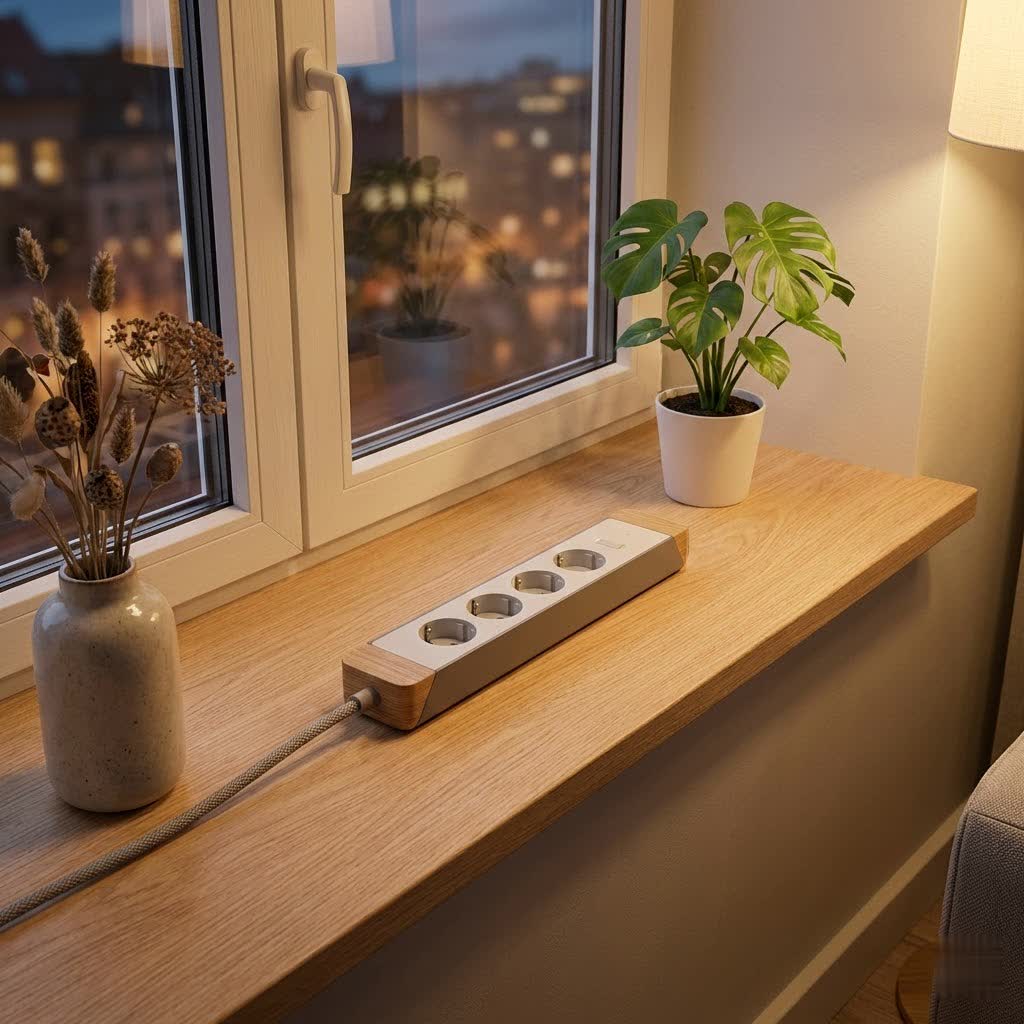
Navigating the array of options, from basic power strips to advanced smart protectors, can feel overwhelming. But understanding the core function and features of these devices is key to making an informed choice. This comprehensive guide, crafted from years of expertise in electrical equipment, will demystify surge protector power strips, helping you select the perfect solution to protect your electronics and bring peace of mind to your power management.
What is a Power Strip, and Why Do You Need a Surge Protector?
Often used interchangeably, “power strip” and “surge protector” describe two distinct devices with different primary functions. A power strip is fundamentally an extension cord equipped with multiple electrical outlets. Its sole purpose is to expand the number of devices you can plug into a single wall socket, increasing convenience and accessibility. However, a standard power strip offers no inherent protection against electrical anomalies.
A surge protector power strip, on the other hand, is designed with a critical safeguarding mechanism. While it provides additional outlets like a standard power strip, its primary role is to shield your electronic equipment from sudden, temporary spikes in electrical voltage, known as power surges. These surges can be caused by various factors, including lightning strikes, power outages, or even the switching on and off of large appliances within your home or from the utility grid. Without a surge protector, these voltage spikes can travel through your electrical system, potentially overloading and permanently damaging sensitive components in your devices, leading to costly repairs or replacements.
The importance of a surge protector cannot be overstated, especially for high-value electronics such as computers, televisions, gaming consoles, and smart home devices. It acts as a buffer, absorbing excess energy and diverting it away from your precious gadgets, thereby ensuring their longevity and safe operation.
Types of Power Strips: Finding Your Perfect Match
Power strips, particularly those with surge protection, come in a variety of configurations, each catering to different needs and environments. Understanding these types will help you pinpoint the best device for your specific requirements.
By Number of Outlets
The most basic differentiation is the number of available sockets.
- 3-Outlet Power Strips: Ideal for minimal power needs or travel, offering a compact solution for basic devices.
- 5-6 Outlet Power Strips: The most common choice for homes and offices, providing a balanced number of outlets for everyday use.
- 8+ Outlet Power Strips: Suited for power-intensive setups, such as entertainment centers or workstations with numerous peripherals, accommodating a higher device count.
|
Our Picks for the Best Power Strip in 2026
We may earn a commission when you use one of our links to make a purchase.
|
||
| Num | Product | Action |
|---|---|---|
| 1 | Surge Protector Power Strip - CHCORE 5Ft Braided Extension Cord with 8 Outlets with 4 USB (2 USB C) Charging Ports, Flat Plug Multi Plug Outlet Extender Charging Station for Home Office, ETL, White |

|
| 2 | Amazon Basics Rectangle 6-Outlet, 600 Joule Surge Protector Power Strip, 2ft, Black, Small, 2-Pack |
|
| 3 | Amazon Basics Surge Protector Power Strip, 6-Outlet, 790 Joules, LED Indicator, 6ft Extension Cord, White |
|
| 4 | 10 Ft Ultra Thin Extension Cord, 5-Outlet Power Strip Surge Protector with 4 USB Ports (2 USB C), 1875W/15A, Low Profile Flat Plug, 1700 Joules, Wall Mount for Home Office, White |
|
| 5 | 6 Ft Surge Protector Power Strip - 8 Widely Outlets with 4 USB Ports, 3 Side Outlet Extender with 6 Feet Extension Cord, Flat Plug, Wall Mount, Desk USB Charging Station, ETL,White |
|
| 6 | 3FT Ultra Flat Plug Extension Cord Power Strip with 3 Outlets, Patented Detachable Ultra-Thin Outlet Cover Concealer & Ultra-Flat Plug, Max. 13A 125V 1625W ETL Listed, White Color |
|
| 7 | Belkin 12-Outlet Surge Protector Power Strip w/ 12 AC Outlets & 8ft Flat Plug, UL-listed Heavy-Duty Extension Cord for Home, Office, Travel, Computer, Laptop, Charger - 3,940 Joules of Protection |
|
| 8 | Pink Extension Cord with Surge Protector - 5 FT Kawaii Power Strip, Cute Extension Cord with 6 USB(3 USB C) and 8 Outlets, Pink Desk Accessories for Girl Cute Kawaii Room Decor Gifts Office Dorm Home |
|
| 9 | Surge Protector Power Strip - HANYCONY 8 Outlets 4 USB (2 USB C) Charging Ports, Multi Plug Outlet Extender, 5Ft Braided Extension Cord, Flat Plug Wall Mount Desk Charging Station for Home Office ETL |
|
| 10 | Amazon Basics Surge Protector Power Strip, 6-Outlet with 200J Protection, 2ft Extension Cord, Rectangle, Black (2 Pack) |
|
By Functionality
Beyond simply providing outlets, power strips offer diverse features:
- Standard Power Strips: These are basic extension cords with multiple outlets. They are affordable and convenient for devices that don’t require surge protection, like lamps or chargers for non-sensitive items. They lack any protective mechanisms against voltage fluctuations.
- Surge Protector Power Strips: These are equipped with internal components, most commonly Metal Oxide Varistors (MOVs), which detect excess voltage and divert it to the ground wire. This prevents the damaging surge from reaching your connected devices. They typically feature a “protected” indicator light to show when the surge protection is active and functional.
- Smart Power Strips: Integrating modern technology, smart surge protectors offer advanced control. They often connect to Wi-Fi, allowing you to control individual outlets or groups of outlets remotely via a smartphone app. Features may include scheduling, timers, energy monitoring, and compatibility with voice assistants (like Apple Home, Google Assistant, or Alexa), offering enhanced convenience and energy management.
- Gaming Power Strips: Often designed with aesthetics in mind, including RGB lighting, and robust surge protection to safeguard valuable gaming equipment. They may also include features like widely spaced outlets for bulky gaming power bricks.
By Design
The physical form factor of a power strip can significantly impact usability and aesthetics:
- Vertical/Tower Power Strips: These space-saving designs stand upright, making them suitable for crowded desks or small areas. They often offer outlets on multiple sides for easier access.
- Round Power Strips: With a circular layout, these designs can be aesthetically pleasing and offer flexible plug access from various angles, reducing cable clutter.
- Travel Power Strips: Compact and lightweight, these are designed for portability, often featuring a flat plug and multiple international adapters or USB ports, making them ideal companions for globetrotters.
- Wall-Mounted Power Strips: These strips plug directly into a wall outlet and sit flush against the wall, providing additional outlets without a dangling cord. Some include small shelves for charging devices.
Comparison of Popular Surge Protector Power Strip Types
Choosing the right surge protector power strip involves weighing features, design, and budget against your specific needs. Here’s a comparative overview:
| Feature/Type | Standard Power Strip | Basic Surge Protector | Smart Surge Protector | Travel Surge Protector |
|---|---|---|---|---|
| Primary Function | Outlet Expansion | Outlet Expansion + Surge Protection | Smart Control + Surge Protection | Portability + Outlet/USB |
| Surge Protection | None | Yes (Joule rating varies) | Yes (Often higher joule rating) | Varies (often basic) |
| Joule Rating | N/A | Typically 600-1500J | 1000J – 3000J+ | Lower, if any |
| Clamping Voltage | N/A | Good (e.g., 400V) | Very Good (e.g., 330V) | Varies |
| Outlets | 3-8+ | 3-12+ | 4-8+ (often individually controlled) | 2-4 (plus USB) |
| USB Ports | Rare | Common | Very Common | Common |
| Smart Features | No | No | Yes (Wi-Fi, App, Voice Control, Energy Monitoring) | No |
| Design | Bar, Cube | Bar, Tower, Wall-mount | Bar, Tower, Wall-mount | Compact, Flat Plug |
| Price Range | Low | Mid-range | High | Low to Mid |
| Best For | Lamps, chargers for non-sensitive devices | TVs, PCs, small home office | Smart homes, energy-conscious users, complex setups | Business travel, vacations |
| Pros | Affordable, simple | Essential protection | Advanced control, energy saving | Portable, convenient |
| Cons | No protection | No smart features | More expensive, requires app setup | Limited protection, fewer outlets |
Buying Guide: Essential Considerations for Your Power Strip
Selecting the ideal surge protector power strip requires careful thought. Here are the crucial factors to consider before making a purchase:
1. Identify Your Usage Needs
Start by assessing what you need to power and protect.
- Number of Devices: Count how many devices you typically need to plug in. Consider future expansion.
- Device Types: Are you plugging in sensitive electronics (computers, TVs, gaming consoles) that require surge protection, or just basic lamps and chargers?
- Location: Where will the power strip be used? A desk, entertainment center, garage, or for travel? This affects desired cord length, design (tower vs. flat), and features.
- Smart Features: Do you desire remote control, scheduling, or energy monitoring for convenience and efficiency?
2. Choose Reputable Brands
Opt for brands known for quality and safety. Well-established manufacturers often adhere to stricter safety standards and offer better warranties. Look for brands like Anker, Belkin, Tripp Lite, Eaton, and others consistently reviewed positively. Researching their customer support and warranty policies is also wise.
3. Check Technical Specifications
These numbers are critical for effective protection:
- UL Certification: Always ensure the product is UL (Underwriters Laboratories) certified. This indicates it meets stringent safety standards for fire, electrical shock, and personal injury hazards.
- Joule Rating: This indicates the amount of energy a surge protector can absorb before it fails. A higher joule rating means better protection and a longer lifespan for the protector. Aim for at least 600 joules for basic electronics, and 1000-2000+ joules for high-value or sensitive equipment.
- Clamping Voltage: This is the voltage level at which the surge protector activates and diverts excess electricity. A lower clamping voltage (e.g., 330V or 400V) means faster and better protection for your devices, as it allows less excess voltage to pass through.
- Maximum Wattage/Amperage: Ensure the power strip’s capacity matches or exceeds the total power draw of all devices you intend to connect. Overloading can trip breakers or, worse, cause fire hazards. Most standard household circuits are 15 amps.
4. Compare Prices
While price shouldn’t be the sole determinant, compare options across different retailers. Be wary of unusually cheap surge protectors, as their internal components might be of lower quality, offering inadequate protection. Invest in quality for device safety.
5. Read User Reviews
Consult online reviews from other users. They can provide real-world insights into a product’s performance, durability, ease of use, and any potential flaws not apparent from product descriptions. Look for common themes in both positive and negative feedback.
Top Surge Protector Power Strips for 2026
The market offers a robust selection of surge protector power strips. Here are some highly-rated and popular options that cater to various needs:
- Best Overall for Versatility: Many users favor the Bototek Surge Protector for its well-spaced outlets, multiple USB ports (often 4), and a decent 2100 Joule rating, suitable for sensitive electronics. It often features a fire-resistant plastic build and a double-breaker design.
- Best Smart Power Strip: The Tapo P316M Smart Wi-Fi Power Strip consistently receives high marks for its excellent smart features, including individual outlet control, energy monitoring, and compatibility with smart home ecosystems like Apple Home. It offers a great balance of smart functionality and robust protection.
- Best for High-End Electronics: The Belkin 12-Outlet Pivot-Plug Surge Protector is often cited for its exceptionally high joule rating (e.g., 4320 Joules), providing maximum protection for home entertainment centers, high-performance PCs, and other valuable equipment. Its rotating outlets are also a practical feature for bulky adapters.
- Best Value: For reliable basic surge protection without breaking the bank, models from brands like Amazon Basics or Commercial Electric offer good joule ratings (e.g., 600-1000J) and essential outlets, making them a solid choice for general use.
- Best for USB Charging: Many Anker Surge Protector Power Strips stand out with optimized USB-A and USB-C ports, often featuring Power Delivery (PD) for fast charging, alongside solid surge protection (e.g., 2000 Joules).
When looking for these models, check major electronics retailers or online marketplaces. Always verify the specifications against your needs before purchasing.
Tips for Safe and Effective Surge Protector Use
Even the best surge protector requires proper usage to ensure maximum safety and effectiveness:
- Do Not Overload: Never plug in more devices than the power strip’s maximum wattage or amperage rating. Overloading can cause the unit to overheat, trip circuit breakers, or become a fire hazard. High-wattage appliances (heaters, hair dryers, microwaves, toaster ovens) should ideally be plugged directly into wall outlets.
- Avoid “Daisy Chaining”: Never plug one power strip into another, nor plug a surge protector into an extension cord. This practice, known as “daisy chaining,” bypasses safety features and dramatically increases the risk of overloading and fire.
- Keep Dry and Unobstructed: Never use power strips or surge protectors in wet or damp environments, such as bathrooms, kitchens, or outdoors, unless they are specifically rated for such conditions. Ensure they are placed in open areas, not covered by rugs or furniture, to prevent heat buildup.
- Regularly Inspect for Damage: Periodically check the power strip, its cord, and plugs for any signs of wear and tear, such as frayed wires, cracked casing, discolored outlets, or a burning smell. Any damage warrants immediate replacement.
- Monitor Indicator Lights: Most surge protectors include an indicator light (often green) labeled “protected.” If this light goes out, it means the surge protection components have worn out or sacrificed themselves to a significant surge, and the unit no longer offers protection. Replace it immediately.
- Understand Limitations: While surge protectors guard against transient voltage spikes, they are not designed to protect against direct lightning strikes to your home or utility lines. For comprehensive protection against such severe events, a whole-house surge protector installed at your electrical panel is a more robust solution.
Conclusion
In an age where electronic devices are indispensable, investing in a quality surge protector power strip is not just a convenience, but a necessity for safeguarding your valuable equipment. Understanding the fundamental differences between a basic power strip and a surge protector, along with key specifications like joule rating and clamping voltage, empowers you to make an informed decision.
By carefully considering your specific needs, choosing reputable brands, and adhering to safe usage practices, you can effectively protect your electronics from unpredictable power surges. Don’t wait for an unexpected electrical event to highlight the importance of proper protection. Equip your home and office with the right surge protector power strips today and enjoy the peace of mind that your devices are safe and sound.
What measures do you currently take to protect your electronic devices from power surges? Share your experiences and tips in the comments below!
Frequently Asked Questions
What is the primary difference between a power strip and a surge protector?
A power strip simply provides multiple outlets from a single wall socket, acting as an extension cord. A surge protector, on the other hand, includes internal components (like MOVs) designed to divert harmful voltage spikes away from connected electronic devices, offering crucial protection against electrical damage.
How can I tell if my power strip has surge protection?
Look for a label explicitly stating “surge protector” or “surge suppression,” a joule rating, and often an indicator light (typically green) that says “Protected” or “Protection On.” If it only states “extension cord” or has no specific ratings, it’s likely just a basic power strip.
What joule rating should I look for in a surge protector?
For basic electronics, a minimum of 600 joules is acceptable. For sensitive and high-value equipment like computers, home theater systems, or gaming PCs, aim for a joule rating of 1000 to 2000 or higher to ensure more robust and lasting protection.
Do surge protectors wear out over time?
Yes, surge protectors degrade with each surge they absorb. Their internal components sacrifice themselves to protect your devices. If the “protected” indicator light goes out, or if the unit has endured a major electrical event, it’s time to replace it to ensure continued protection.
Can a surge protector protect against a lightning strike?
While a surge protector offers protection against common power surges, it’s generally not designed to withstand a direct lightning strike, which can carry hundreds of thousands of joules of energy. For such extreme events, a whole-house surge protector installed at your electrical panel provides more comprehensive protection.
Is it safe to plug a power strip into another power strip?
No, plugging one power strip into another (known as “daisy chaining”) is highly unsafe and should be avoided. It can lead to overloading circuits, overheating, and significantly increases the risk of electrical fires, as it bypasses critical safety mechanisms.