In today’s interconnected world, where every device from your smartphone to your home theater system demands power, a reliable solution for managing multiple electrical connections is no longer a luxury—it’s a necessity. Enter the power strip, often colloquially referred to as an “Extension Cord Power Strip” due to its integrated cord. This seemingly simple device is crucial for expanding your electrical outlets and protecting your valuable electronics. With over a decade of hands-on experience in electrical equipment, particularly power strips, I’ve witnessed their evolution from basic utility items to sophisticated hubs. This guide will help you understand the different types, features, and, most importantly, the safe usage of power strips to meet your specific needs.
What Is a Power Strip? Why Do You Need One?
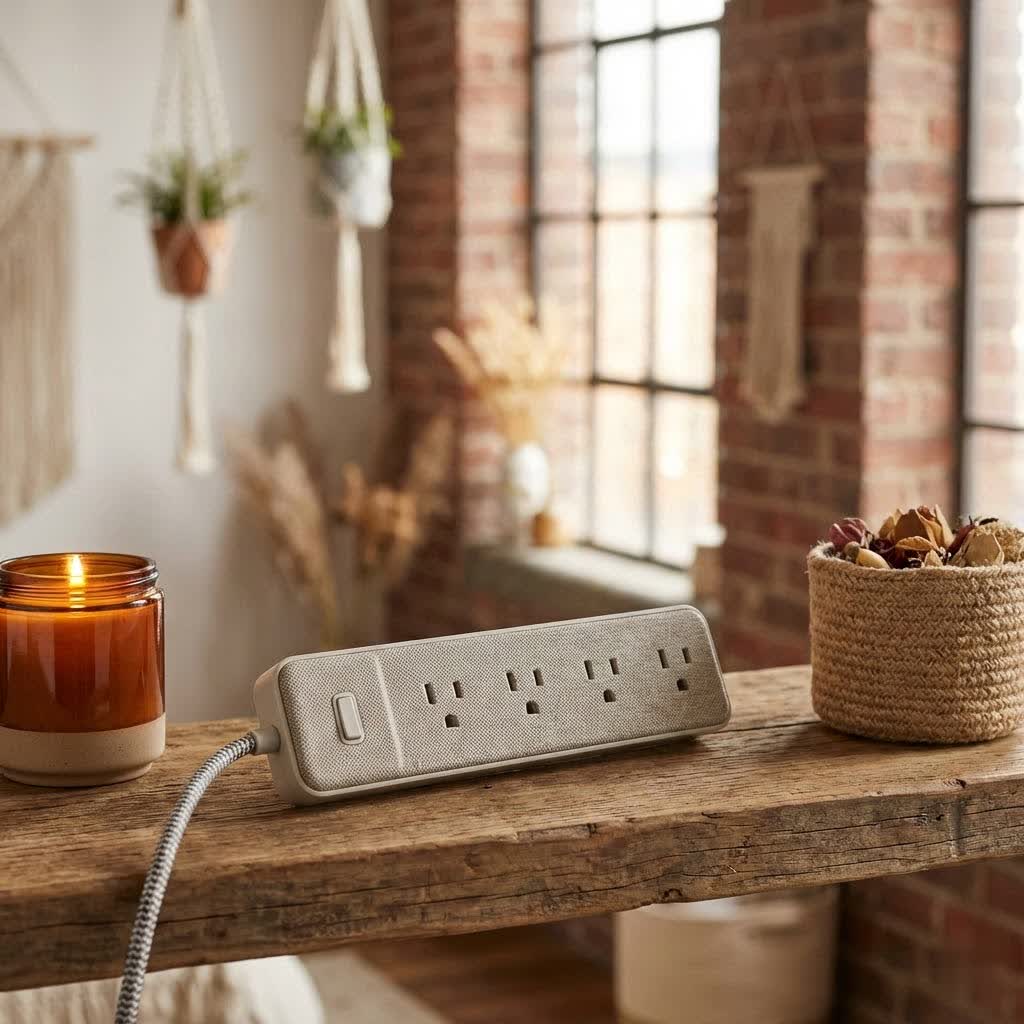
A power strip is an electrical device featuring multiple outlets, allowing several appliances and gadgets to draw power from a single wall socket simultaneously. While often confused with simple extension cords, a power strip offers much more than just extending reach. Its primary purpose is to consolidate power for multiple devices, often incorporating vital safety features that standard extension cords lack.
The importance of a power strip extends beyond mere convenience. Many modern power strips come equipped with surge protection, safeguarding your electronics from damaging voltage spikes caused by lightning or power grid fluctuations. They also typically include a circuit breaker, which automatically cuts power if an overload is detected, preventing overheating and potential fire hazards. Essentially, a power strip not only solves the problem of too few outlets but also acts as a frontline defender for your electronic investments.
Classifying Power Strips: Finding the Right Fit
The market offers a diverse range of power strips, each designed to cater to specific requirements and environments. Understanding the different classifications will help you choose the ideal power solution.
By Number of Outlets
The most straightforward classification is by the number of receptacles available:
- 3-Outlet Power Strips: These are compact and suitable for basic needs, such as a bedside lamp and phone charger, or for travel.
- 5-6 Outlet Power Strips: The most common choice for households and offices, providing enough ports for computers, monitors, and peripherals or a modest entertainment setup.
- 8+ Outlet Power Strips: Designed for more demanding setups, like elaborate home offices, gaming stations, or comprehensive home theater systems, accommodating numerous devices.
|
Our Picks for the Best Power Strip in 2026
We may earn a commission when you use one of our links to make a purchase.
|
||
| Num | Product | Action |
|---|---|---|
| 1 | 6 Ft Surge Protector Power Strip - 8 Widely Outlets with 4 USB Ports, 3 Side Outlet Extender with 6 Feet Extension Cord, Flat Plug, Wall Mount, Desk USB Charging Station, ETL,White |

|
| 2 | Amazon Basics Surge Protector Power Strip, 6-Outlet with 200J Protection, 2ft Extension Cord, Rectangle, Black (2 Pack) |
|
| 3 | 3FT Ultra Flat Plug Extension Cord Power Strip with 3 Outlets, Patented Detachable Ultra-Thin Outlet Cover Concealer & Ultra-Flat Plug, Max. 13A 125V 1625W ETL Listed, White Color |
|
| 4 | 10 Ft Ultra Thin Extension Cord, 5-Outlet Power Strip Surge Protector with 4 USB Ports (2 USB C), 1875W/15A, Low Profile Flat Plug, 1700 Joules, Wall Mount for Home Office, White |
|
| 5 | Surge Protector Power Strip - CHCORE 5Ft Braided Extension Cord with 8 Outlets with 4 USB (2 USB C) Charging Ports, Flat Plug Multi Plug Outlet Extender Charging Station for Home Office, ETL, White |
|
| 6 | Amazon Basics Surge Protector Power Strip, 6-Outlet, 790 Joules, LED Indicator, 6ft Extension Cord, White |
|
| 7 | Amazon Basics Rectangle 6-Outlet, 600 Joule Surge Protector Power Strip, 2ft, Black, Small, 2-Pack |
|
| 8 | Surge Protector Power Strip - HANYCONY 8 Outlets 4 USB (2 USB C) Charging Ports, Multi Plug Outlet Extender, 5Ft Braided Extension Cord, Flat Plug Wall Mount Desk Charging Station for Home Office ETL |
|
| 9 | Belkin 12-Outlet Surge Protector Power Strip w/ 12 AC Outlets & 8ft Flat Plug, UL-listed Heavy-Duty Extension Cord for Home, Office, Travel, Computer, Laptop, Charger - 3,940 Joules of Protection |
|
| 10 | Pink Extension Cord with Surge Protector - 5 FT Kawaii Power Strip, Cute Extension Cord with 6 USB(3 USB C) and 8 Outlets, Pink Desk Accessories for Girl Cute Kawaii Room Decor Gifts Office Dorm Home |
|
By Features
Beyond the basic function of providing multiple outlets, power strips come with a variety of integrated features:
- Standard Power Strips: Offer basic power distribution without advanced protection, typically the most affordable option.
- Surge Protector Power Strips: These are equipped with surge suppression technology to divert excess voltage away from connected devices, protecting them from power surges and spikes. This is a crucial feature for sensitive electronics.
- Smart Power Strips: Integrating modern technology, these strips often connect to Wi-Fi, allowing you to control individual outlets remotely via an app, set schedules, or monitor energy consumption. Some even offer voice control through smart home assistants.
- Power Strips with USB Ports: Many contemporary designs include USB-A and/or USB-C ports, enabling direct charging of smartphones, tablets, and other USB-powered devices without needing their wall adapters. Some offer fast-charging capabilities.
By Design
The physical design of a power strip can significantly impact its usability and how it integrates into your space:
- Traditional Bar-Shape Power Strips: The most common form factor, a rectangular strip with outlets aligned.
- Tower/Vertical Power Strips: Space-saving designs that stand upright, often providing outlets on multiple sides, ideal for desks or tight corners.
- Circular/Orbital Power Strips: Offer a unique aesthetic and often allow for larger, bulky adapters to be plugged in without blocking adjacent outlets.
- Flat-Plug Power Strips: Feature a plug designed to sit flush against the wall, allowing furniture to be placed closer to the outlet.
- Travel Power Strips: Compact, lightweight, and often include universal adapters and USB ports, perfect for global travelers.
- Heavy-Duty/Outdoor Power Strips: Built with more robust casing and often include covers for outlets to withstand harsh conditions, suitable for workshops, garages, or outdoor event lighting.
Comparison of Common Power Strip Types
Choosing the right power strip involves weighing its capacity, features, and design against your specific needs.
| Type | Key Features | Ideal Use Case | Pros | Cons |
|---|---|---|---|---|
| Standard | Multiple AC outlets | Basic office/home, low-power devices | Affordable, simple | No surge protection, limited safety features |
| Surge Protector | Multiple AC outlets, surge protection | Computers, TVs, sensitive electronics | Protects against spikes, often has circuit breaker | More expensive, limited number of joules of protection |
| Smart | AC/USB outlets, Wi-Fi control, scheduling | Smart homes, remote management, energy monitoring | Convenience, energy saving, automation | Higher cost, requires app/Wi-Fi, potential privacy concerns |
| USB Integrated | AC outlets, USB-A/C ports | Charging multiple devices, decluttering | Eliminates adapters, convenient | USB charging speeds vary, still needs AC for other devices |
| Tower/Orbital | Vertical/round design, multiple outlets | Desks, tight spaces, accommodating large adapters | Space-saving, often includes USB | Can be less stable than flat strips |
| Heavy-Duty/Outdoor | Durable casing, weatherproof, high wattage | Workshops, outdoor events, demanding appliances | Robust, weather-resistant, higher load capacity | Bulkier, typically more expensive |
Buying Guide for Power Strips: What to Consider
Selecting the best power strip involves more than just picking one with enough outlets. Thoughtful consideration ensures safety, functionality, and longevity.
1. Assess Your Usage Needs
Start by identifying how many devices you need to power and where the power strip will be located. Will it be for a handful of low-power chargers, or a robust workstation with a computer, monitors, and peripherals? Consider the total wattage of all devices you plan to connect. If you anticipate needing protection for valuable electronics, a surge protector is essential. For automating your home, a smart power strip is the way to go.
2. Choose Reputable Brands
Invest in power strips from well-known manufacturers that adhere to safety standards. Look for certifications like UL (Underwriters Laboratories) or ETL (Electrical Testing Labs) on the product packaging. These certifications indicate that the product has been tested for safety and meets specific industry standards, providing peace of mind. While specific brand recommendations can change, brands frequently mentioned for reliability include Anker, Belkin, Tripp Lite, GE, and Woods.
3. Check Technical Specifications
- Maximum Wattage/Amperage: This is perhaps the most critical specification. Ensure the power strip’s maximum rating can safely handle the combined wattage of all devices you intend to plug in. Overloading a power strip is a serious fire hazard.
- Joule Rating (for Surge Protectors): A higher joule rating indicates greater surge protection. For sensitive electronics like computers and home theater systems, look for a rating of 1000 joules or higher.
- Cord Length: Choose a cord long enough to reach your wall outlet without needing an extension cord, but not so long that it creates excessive clutter or a tripping hazard.
- Grounding: Ensure the power strip is grounded, identifiable by a three-prong plug, which adds a layer of safety by providing a path for excess electricity in case of a fault.
- Circuit Breaker: A built-in circuit breaker is a non-negotiable safety feature, automatically tripping to prevent overheating if the power strip is overloaded.
4. Compare Price vs. Quality
While it might be tempting to opt for the cheapest option, especially for a seemingly simple device, quality often correlates with safety and durability. A cheap, uncertified power strip can be a significant fire risk. Compare prices across reputable retailers and consider the long-term value, including warranty and safety features, rather than just the initial cost.
5. Read User Reviews
Before making a final decision, consult reviews from other users. Their experiences can provide valuable insights into a product’s real-world performance, durability, and any potential quirks. Pay attention to both positive and negative feedback regarding safety, reliability, and specific features.
Top Power Strip Features to Look For Today
Modern power strips go beyond basic functionality, offering features that enhance safety, convenience, and efficiency:
- USB-C Power Delivery (PD): For rapid charging of modern laptops, tablets, and phones.
- Individual On/Off Switches: Allows you to power down specific devices when not in use, saving energy and extending device lifespan.
- Swivel Outlets: Adjustable outlets that can rotate, making it easier to accommodate bulky power adapters without blocking adjacent ports.
- Automatic Shut-off: Some surge protectors will automatically cut power once their surge protection capacity (joules) has been exhausted, indicating it’s time for a replacement.
- EMI/RFI Filtering: Reduces electromagnetic and radio frequency interference, which can improve the performance of audio and video equipment.
Safe and Effective Power Strip Usage Tips
Even the best power strip can pose risks if not used correctly. Adhering to safety guidelines is paramount to protect your home and devices.
1. Never “Daisy Chain” Power Strips or Extension Cords
This is arguably the most critical safety rule. Connecting one power strip to another, or plugging a power strip into an extension cord, creates a significant fire hazard by overloading the circuit. The National Fire Protection Association (NFPA) strictly prohibits this practice. Each power strip should always be plugged directly into a permanently installed wall outlet.
2. Avoid Overloading the Power Strip
Every power strip has a maximum wattage or amperage rating. Never exceed this limit by plugging in too many high-power devices. Overloading can cause the strip to overheat, leading to melted cords, short circuits, and fires. Always calculate the total wattage of all devices you intend to use with the strip.
3. Do Not Plug High-Wattage Appliances into Power Strips
Appliances with heating elements or motors draw a significant amount of power and should always be plugged directly into a wall outlet. These include:
- Space heaters
- Microwaves
- Toasters
- Refrigerators
- Hair dryers
- Coffee makers
- Washing machines and dryers
These devices are designed for dedicated wall outlets and can quickly overload a power strip, even a surge protector, causing it to overheat or trip the circuit breaker.
4. Ensure Proper Placement
Keep power strips in well-ventilated areas, away from anything that could easily catch fire, such as curtains, carpets, or paper. Avoid placing them under rugs or furniture, as this can trap heat and make it difficult to spot signs of damage or overheating.
5. Avoid Wet or Damp Locations
Unless specifically rated as a GFCI-protected (Ground Fault Circuit Interrupter) outdoor or bathroom power strip, never use power strips in wet or damp environments like kitchens, bathrooms, or laundry rooms. Water and electricity are a dangerous combination.
6. Regularly Inspect for Damage
Periodically check your power strips and their cords for any signs of wear and tear. Look for:
- Frayed wires
- Cracked or discolored casings
- Loose outlets
- Burn marks or melted plastic
- An unusual burning smell or warmth
If you notice any of these issues, discontinue use immediately and replace the power strip.
7. Use for Temporary Purposes
Both power strips and extension cords are designed for temporary use and should not serve as a permanent substitute for proper electrical wiring. If you consistently find yourself needing more outlets in a specific area, consider having additional wall outlets installed by a qualified electrician.
Conclusion
Power strips are indispensable tools for managing our ever-growing array of electronic devices, offering both convenience and crucial protection. From basic models expanding your available outlets to advanced surge protectors safeguarding your sensitive electronics and smart strips automating your home, there’s a solution for every need. However, the benefits of a power strip are entirely dependent on its proper selection and safe usage. Always prioritize certified products, understand the power requirements of your devices, and, most importantly, adhere strictly to safety guidelines, particularly avoiding the dangerous practice of “daisy-chaining” and overloading. By making informed choices and practicing safe habits, you can harness the full potential of your power strip, ensuring your devices remain powered, protected, and your home stays safe.
What steps will you take to ensure your power strips are used safely and efficiently today?
Frequently Asked Questions
Can I use an extension cord with a power strip?
No, it is generally not recommended to connect a power strip to an extension cord. This practice, known as “daisy-chaining,” can lead to circuit overload, overheating, and create a significant fire hazard, violating electrical safety standards.
What is the difference between a power strip and a surge protector?
A power strip simply adds more outlets to a single wall socket. A surge protector does the same but also includes internal components that divert excess voltage away from connected devices during a power surge, offering protection that a standard power strip does not.
Is it safe to plug a space heater into a power strip?
No, it is not safe to plug a space heater or any other high-wattage appliance (like microwaves, toasters, or refrigerators) into a power strip. These devices draw too much power and can easily overload a power strip, leading to overheating, circuit trips, or fire risks. They should always be plugged directly into a wall outlet.
How do I know if my power strip has surge protection?
Look for a joule rating on the packaging or the device itself. If a power strip has a joule rating (e.g., 1000 Joules), it is a surge protector. Standard power strips will not display a joule rating. Many surge protectors also have an indicator light that shows the protection is active.
How often should I replace my power strip?
If your power strip is a surge protector, its surge protection components degrade over time and after each surge. It’s generally recommended to replace surge protectors every 3-5 years, or immediately after a major power surge, even if they still function as a multi-outlet strip. Standard power strips should be replaced if they show any signs of damage or malfunction.
What does it mean if my power strip feels hot?
If your power strip feels hot to the touch, it is a serious warning sign that it might be overloaded or experiencing an internal fault. Unplug devices from it immediately and discontinue use. A hot power strip is a fire hazard and should be replaced.